JavaScript / TypeScript / 系统课时
源码映射与声明输出
源码映射与声明输出
本课解决编译后难以定位 TypeScript 源码,以及发布库后缺少类型提示的问题。你将生成 source map、.d.ts 和声明映射。
学习目标
- 生成 source map
- 输出声明文件
- 验证库发布产物
生成调试映射
{
  "compilerOptions": {
    "target": "ES2022",
    "module": "NodeNext",
    "outDir": "dist",
    "sourceMap": true,
    "inlineSources": true
  }
}
sourceMap 生成 .js.map,调试器可把 JavaScript 位置映射回 TypeScript。inlineSources 会把源码内容写入映射,生产发布前应评估是否公开。
生成声明文件
{
  "compilerOptions": {
    "target": "ES2022",
    "module": "NodeNext",
    "moduleResolution": "NodeNext",
    "sourceMap": true,
    "inlineSources": true,
    "declaration": true,
    "declarationMap": true,
    "rootDir": "src",
    "outDir": "dist",
    "strict": true
  },
  "include": ["src/**/*.ts"]
}// src/index.ts
export interface User {
id: number;
name: string;
}
export const displayName = (user: User): string =>
`${user.id}:${user.name}`;npx tsc预期结果
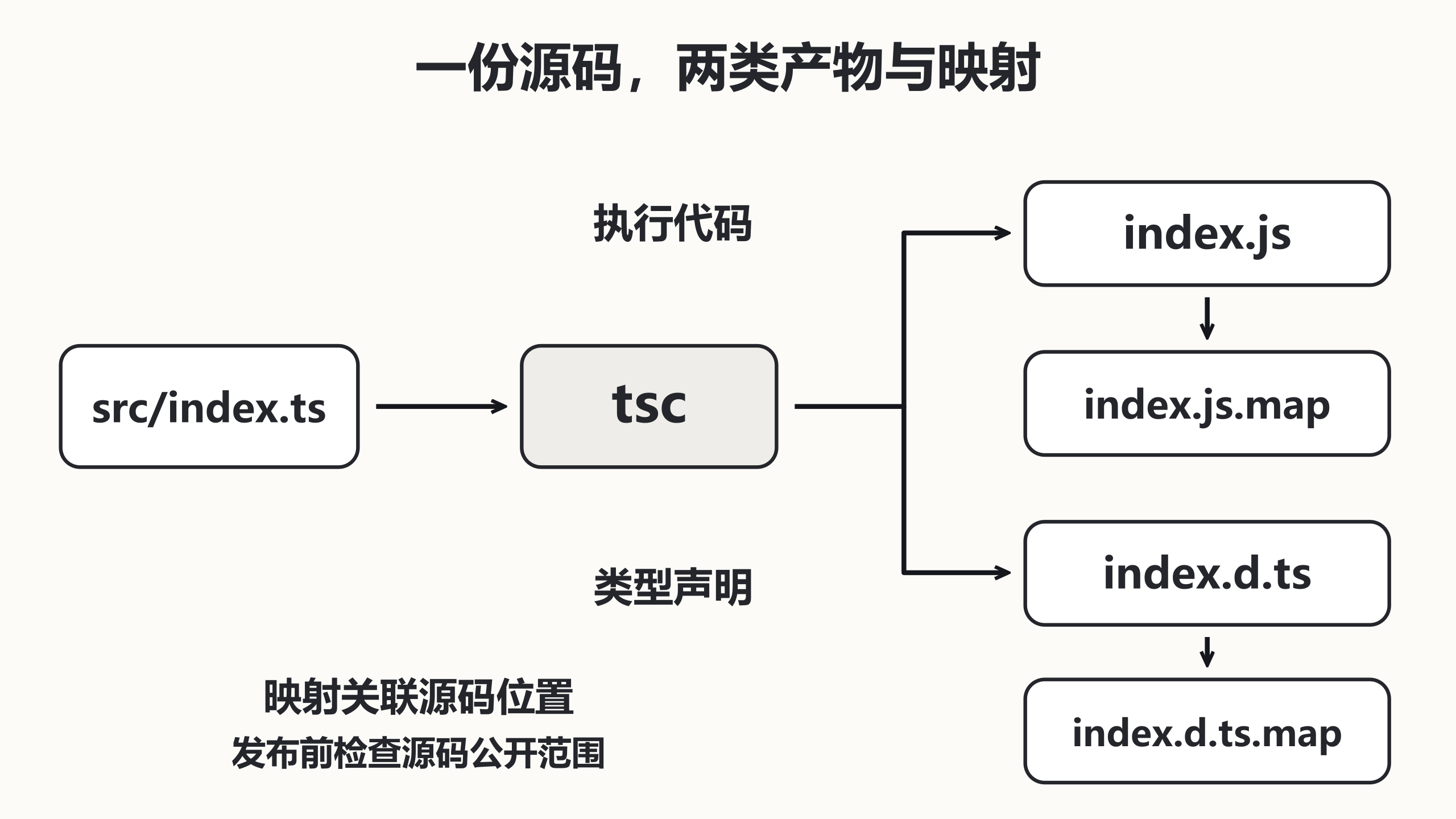
dist 中生成 index.js、index.js.map、index.d.ts 和 index.d.ts.map若 JavaScript 由其他工具生成,可使用 emitDeclarationOnly: true 让 tsc 只输出类型。
配置发布入口
{
  "name": "typed-utils",
  "version": "1.0.0",
  "type": "module",
  "main": "./dist/index.js",
  "types": "./dist/index.d.ts",
  "files": ["dist"]
}npm pack --dry-run预期结果
待发布文件清单包含 dist/index.js 和 dist/index.d.ts声明文件只描述公开 API。内部类型一旦出现在导出签名中,也会成为发布契约的一部分。
一份配置生成全部产物
下面的编译配置已经把前面的映射与声明选项合并,保存为唯一 tsconfig.json。两份配置不能仅按先后分别覆盖,否则后写的文件会丢失 sourceMap 等选项。为练习项目安装 TypeScript 5.9.3,package.json 还需填写 version,例如 1.0.0,才能按完整包元数据验证打包。
检查 index.js 尾部的 sourceMappingURL 指向 index.js.map,映射的 sources 指向源码;打开 index.d.ts 可看到公开函数和接口,index.d.ts.map 支持编辑器回到声明来源。消费者能否实际导航还取决于源码或对应映射资源是否可访问,生成映射文件并非完整分发策略。
npm pack --dry-run 只预览,不会发布。确认 files 白名单包含运行代码与声明,并检查映射是否暴露不应公开的源码和路径。emitDeclarationOnly 会省略 JavaScript,只有另一个构建器已提供运行产物时才可用;发布前应在干净消费项目同时验证导入执行与类型检查。